

Manage Compliance
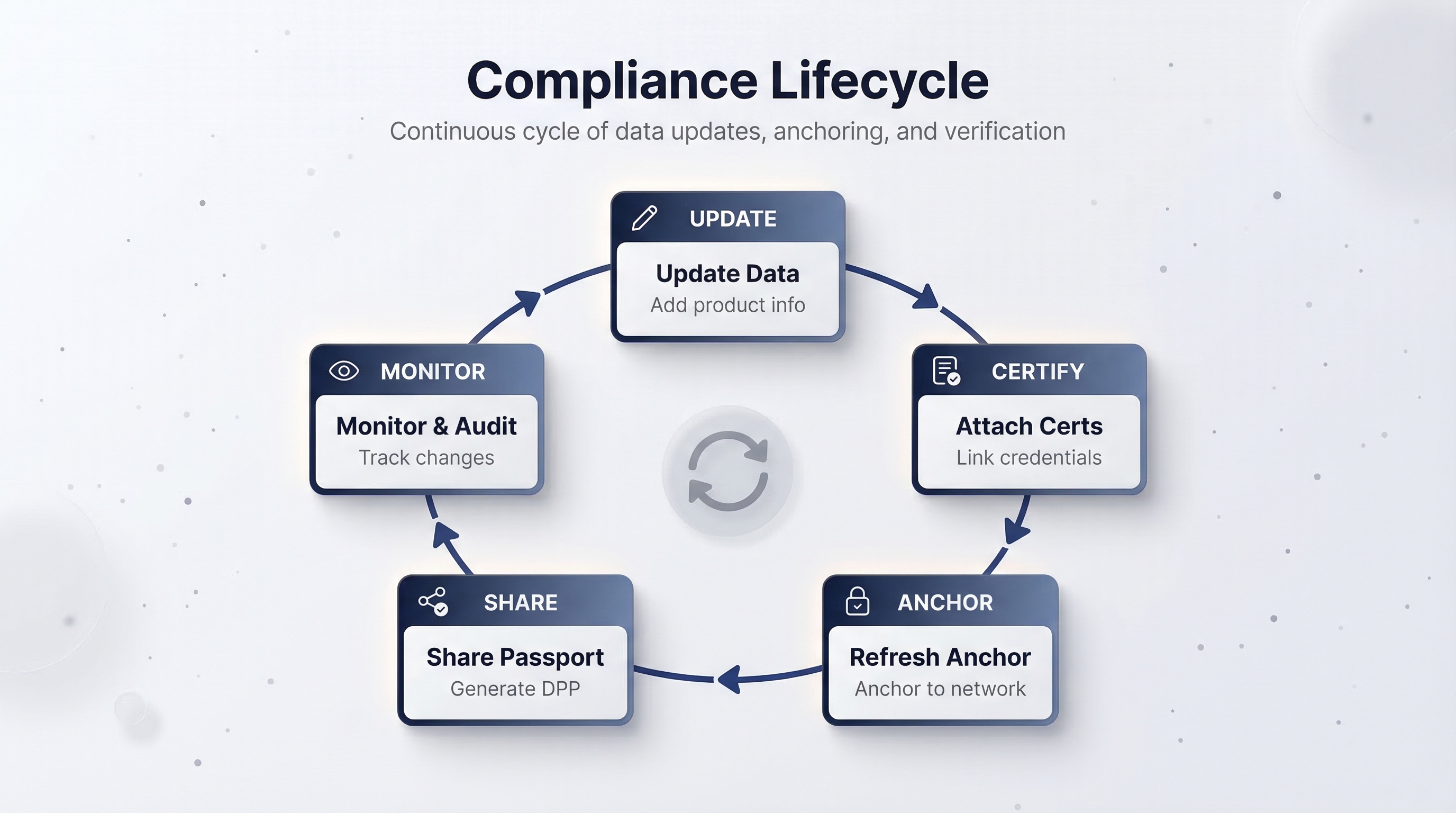
Certifications expire, formulations change, new regulations take effect, and auditors ask questions. This guide covers how to keep your product data current, maintain an auditable trail, and stay compliant over time.
Update product data after sharing
Finalising a batch freezes the item list and anchors the current data on the blockchain. Both product and batch data remain editable after finalising:
- Navigate to the product detail page and open the relevant data tab (e.g., Composition, Circularity).
- Edit the fields that need updating.
- Click Save.
The updated data is immediately reflected in your organization's view. However, previously shared passports still reference the data as it existed when that batch was finalised.
Each integrity anchor captures a point-in-time snapshot. After updating data, you can refresh the anchor to record the new state on-chain. Previously shared passports still reference the snapshot that existed when they were generated. A consumer who verified a product six months ago can still verify that credential and get the same result.
To reflect updated data in passports, refresh the batch's integrity anchor and generate new passports from the updated snapshot.
Attach new certifications
Certifications are living documents. When you receive a new or renewed certification:
- Go to Documents (
/documents) and click Upload Document. - Select the certification file (PDF or image, max 10 MB).
- Set the document type to the appropriate certification standard.
- Link it to the relevant product(s).
Alternatively, use the product's Documentation tab to upload directly in context.
If the certification was obtained through a partner connection (see Connect with Partners), it may already be attached to the connection's message history. You can reference it from the product's Documentation tab.
Keep a record of certification expiry dates. When a certification expires, the associated claims in your product data lose their backing. Plan re-certification well in advance — the Certification Request message type in your partner connections is designed for exactly this workflow.
Manage facilities
Facilities change over time. You might add a new warehouse, decommission a factory, or update an address after a move.
- Navigate to Facilities (
/facilities). - To update an existing facility, click on it and edit the details.
- To add a new facility, click New Facility and fill in the name, address, and type.
- Return to the relevant product's Provenance tab to update facility linkages.
Keeping facility data accurate is especially important for EU Digital Product Passport regulations, which require traceable manufacturing and storage locations.
The documents system
The Documents page provides a centralized view of all files uploaded across your organization:
Use this page to audit your documentation coverage. If a product is missing a required certification, you will see it here.
Audit trail via transactions
Every blockchain operation your organization performs is permanently recorded. The Transactions page (/transactions) shows:
- Batch finalisation: when a batch was tokenised and its transaction hash.
- Token transfers: any item-level transfers between wallets.
- Profile updates: changes to your organization's blockchain metadata.
Each transaction links to the block explorer for your network, where anyone can independently verify the record. This immutable log is your primary audit trail for regulatory inquiries.
Unlike product data in the platform (which you can edit), blockchain transactions cannot be modified or deleted. Every finalisation, transfer, and update is recorded permanently. This provides the tamper-proof audit trail that regulators and auditors require.
How updates are reflected in passports
Product data, finalised batches, and shared passports form a clear hierarchy:
- Product data (editable) is the source of truth in the platform.
- Integrity anchors capture a point-in-time snapshot of the data when finalised or refreshed.
- Shared passports are verifiable credentials generated from a specific anchor snapshot.
Updating product or batch data does not retroactively change previously shared passports. To reflect updates in new passports:
- Make the data changes on the product or batch.
- Refresh the integrity anchor to record the updated data on-chain.
- Generate new passports from the updated snapshot.
Every passport remains a faithful, verifiable record of the data as it existed at the time of the anchor it references.
The compliance reviewer role
In organizations with strict compliance requirements, designate a team member as the compliance reviewer. Their workflow:
- Review the Dashboard compliance snapshot daily — it highlights products with incomplete data, expiring certifications, and pending partner requests.
- Check the Action Center for incoming certification requests and data requests from partners.
- Audit the Transactions page periodically to confirm all expected finalisation operations completed.
- Use the Documents page to verify certification coverage across all products.
- Review the Facilities page to ensure all active locations are registered and linked.
The Dashboard's Quick Actions panel provides shortcuts to the most common compliance tasks: creating a product, uploading a document, inviting a partner, and viewing pending requests. Use these to reduce friction in your daily workflow.
Summary
Compliance is a continuous process. The platform gives you editable product data for flexibility, verifiable blockchain anchors for accountability, and structured partner communications for traceability. Keep your data current, your certifications fresh, and your facilities accurate.